
Discover the best free and paid streaming software & tools in 2025. Perfect for beginner streamers. Compare OBS, Streamlabs, vMix & more to go live like a pro.
Best Streaming Software & Tools in 2025: Ultimate Guide for Beginner Streamers
Lights, camera, stream! Whether you’re gaming, podcasting, or just hanging out with your community, streaming has become the digital stage of 2025. Everyone wants to go live, but choosing the right software and tools can make the difference between a smooth, professional broadcast and a glitchy mess.
If you’re new to streaming, this guide is for you. We’ll break down the best streaming software and tools in 2025, both free and paid, explain what really matters, and help you build a setup that feels professional from day one. By the end, you’ll know exactly how to start streaming confidently and maybe even turn it into your next big thing.
The Rise of Streaming in 2025
Live streaming isn’t just for pro gamers anymore. Creators stream everything from art tutorials and product launches to virtual meetups and casual gaming nights. The global live-streaming market crossed $130 billion [1] in value last year, and with faster internet and better tools, 2025 is shaping up to be even bigger.
But here’s the truth: success doesn’t start with expensive gear. It starts with choosing the right software and tools that fit your goals, hardware, and personality.
What Makes Great Streaming Software?
Choosing your streaming software is like picking your spaceship before a long journey; the wrong one can make takeoff rough. Before you commit, look for:
Ease of Use: A clean interface and simple setup can save hours of frustration.
Performance: Efficient encoding and GPU support prevent lag or overheating.
Customization: Ability to add overlays, alerts, and multiple scenes.
Compatibility: Works with your platform (Twitch, YouTube, Kick, etc.) and hardware.
Multistreaming: Broadcast to multiple platforms simultaneously.
Support & Community: Tutorials, updates, and troubleshooting help.
Remember: you don’t need every feature right away. Start with what helps you go live, not what looks fancy.
Best Free Streaming Software 2025
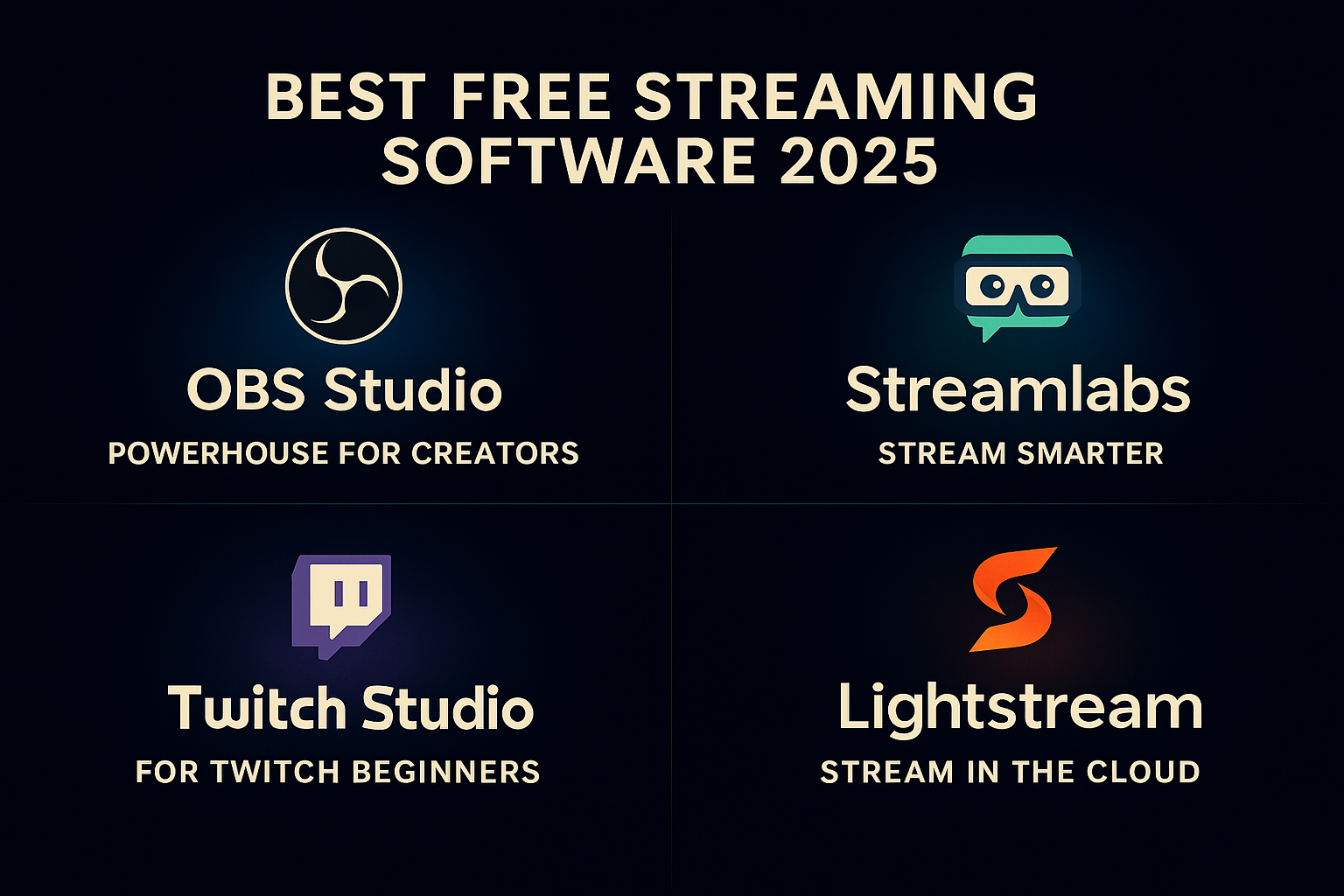
When you’re starting, the best software isn’t always the most expensive; it’s the one that gets you on-air quickly and reliably. These free tools prove that zero dollars can still deliver maximum quality.
1. OBS Studio: The Powerhouse for Creators
The undisputed king of free streaming tools. OBS Studio (Open Broadcaster Software) is open-source, endlessly customizable, and used by streamers of all levels. It lets you mix scenes, switch cameras, add overlays, and fine-tune your quality settings.
While it can look intimidating at first, its flexibility makes it worth learning. With thousands of community-made plugins, OBS can do anything from integrating chatbots to virtual camera effects.
Pros:
Free forever
Huge community and plugin library
Works on Windows, Mac, and Linux
Cons:
Slight learning curve for beginners
Best for: Creators who want complete control and don’t mind exploring a few tutorials.
2. Streamlabs OBS: Stream Smarter, Not Harder
If OBS feels too technical, Streamlabs OBS (or just Streamlabs) is your best friend. Built on OBS, it adds a friendly dashboard, pre-made overlays, donation alerts, and widgets that make you look professional right out of the gate.
Streamlabs is perfect for gamers or anyone who wants a quick, good-looking setup. The only catch? It’s heavier on your CPU, so make sure your PC can handle it.
Pros:
Beginner-friendly
Auto-optimization and built-in alerts
Beautiful themes and widgets
Cons:
Uses more resources than OBS
Best for: New streamers who want polished visuals without manual setup.
3. Twitch Studio: Perfect for Twitch Beginners
If you stream only on Twitch, Twitch Studio makes it incredibly easy to start. It’s Twitch’s own app, designed for first-timers. The software walks you through setting up your camera, mic, and stream alerts in minutes.
You won’t get deep customization, but you’ll get fast results. It’s ideal if you’re just learning the ropes.
Pros:
Built by Twitch for Twitch
Guided setup and templates
Cons:
Limited to Twitch streaming
Best for: Beginners who want simplicity and zero stress.
4. Lightstream: Stream in the Cloud
Lightstream is a hidden gem for creators with low-end PCs. It’s browser-based, meaning all the processing happens online. Add your overlays, connect your camera, and stream with no downloads, no lag.
Pros:
No installation
Works great on any device
Cons:
Limited customization vs. desktop apps
Best for: Console streamers or laptop users with modest setups.
Quick Comparison – Free Streaming Software 2025
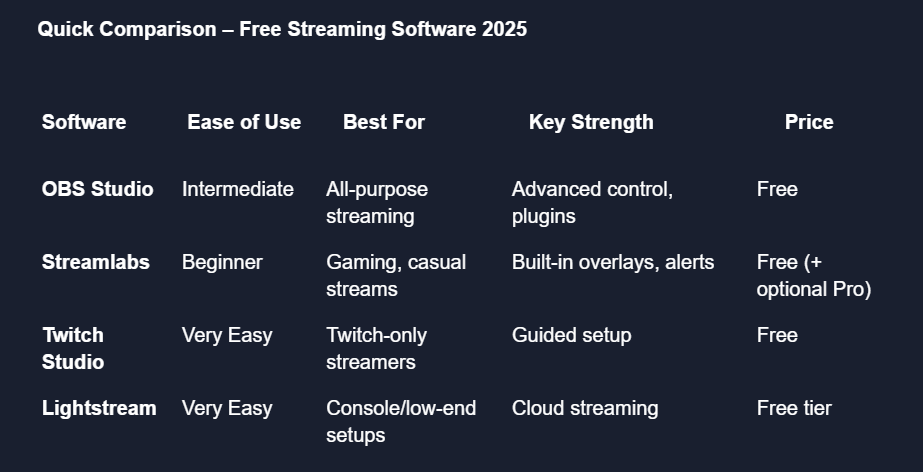
Winner: For versatility and control, go with OBS Studio. For an easy, plug-and-play experience, Streamlabs wins.
Best Paid Streaming Software 2025
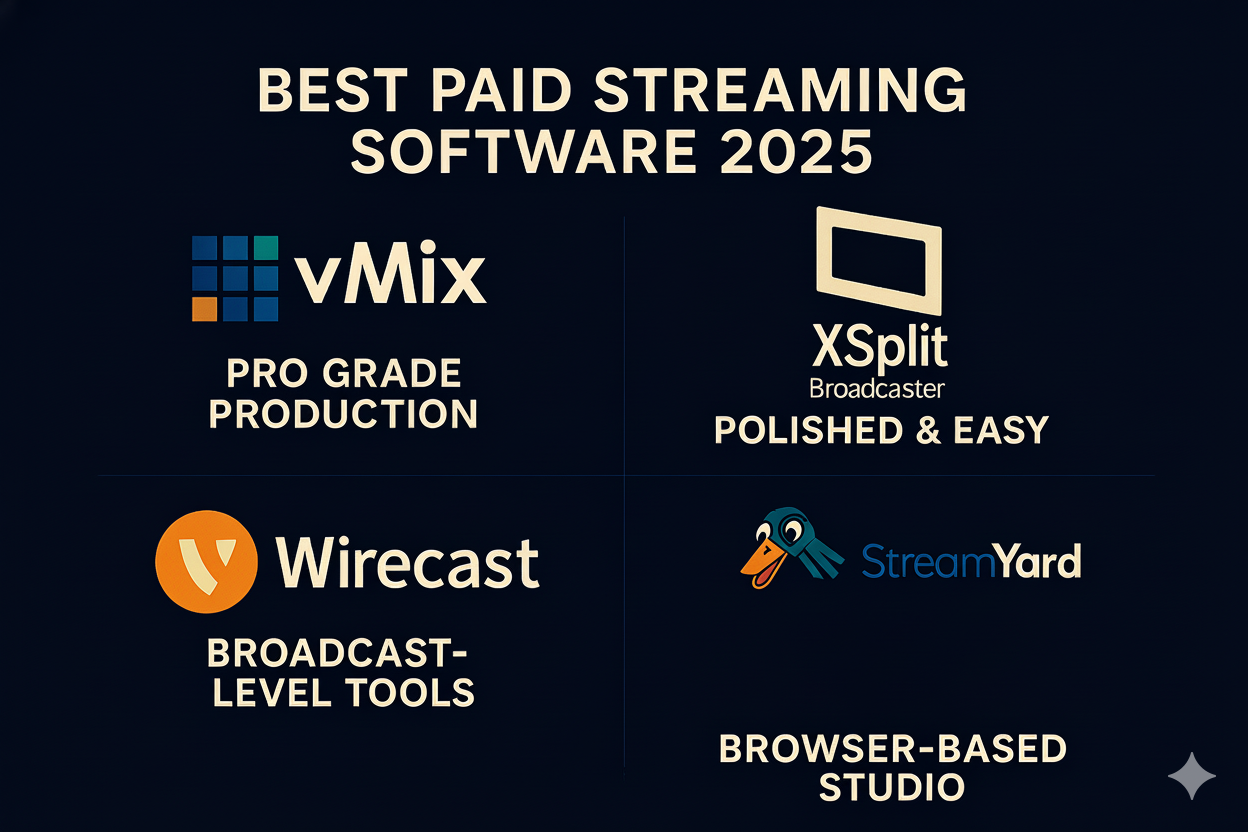
When your audience grows or you need studio-grade reliability, paid software unlocks extra power, stability, and features that free tools can’t match.
1. vMix: The Professional’s Choice
vMix is the go-to for serious broadcasters. Think esports tournaments, webinars, or live concerts. It supports up to 4K (and even 8K), instant replays, remote guests, and multiple camera angles, all while staying surprisingly efficient.
It’s not cheap, but you get a one-time license, not a monthly drain.
Pros:
Studio-grade quality
Multi-camera and remote inputs
Super stable
Cons:
Steep learning curve
Best for: Advanced streamers, event organizers, and businesses.
2. XSplit Broadcaster: Smooth, Polished, and Easy
XSplit Broadcaster feels like OBS with a professional coat of paint. It offers scene transitions, green-screen support, and webcam blur with just a click.
It’s especially popular among gamers who want quality without complexity.
Pros:
Clean interface
Pro features for beginners
Excellent support
Cons:
Windows-only
Best for: Gamers, podcasters, and professionals who want a premium yet simple experience.
3. Wirecast: Broadcast-Level Streaming
If you’re running webinars, virtual conferences, or church streams, Wirecast is unmatched. Created by Telestream, it’s reliable, supports unlimited sources, and has professional titles, replays, and integrated guests.
Pros:
Multi-platform streaming
Studio-quality production tools
Cons:
Pricey and complex for casual creators
Best for: Professional productions, studios, and brands.
4. StreamYard: Browser-Based Brilliance
No downloads, no stress, just click and go live. StreamYard runs in your browser and lets you invite guests, brand your stream, and multistream to YouTube, LinkedIn, Twitch, and more simultaneously.
It’s like having a talk show studio online.
Pros:
Simple, elegant interface
Multistreaming to multiple platforms
Cons:
Limited advanced controls
Best for: Podcasters, panel shows, and interview-based creators.
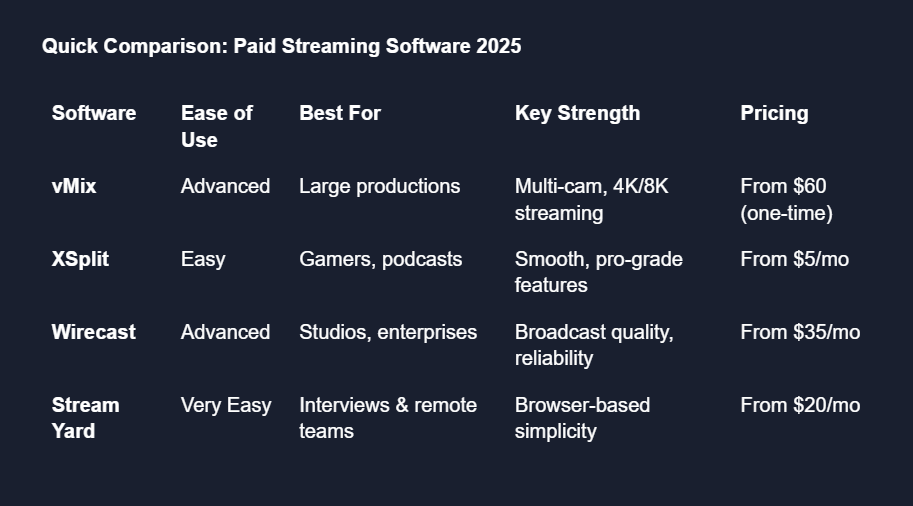
Quick Comparison: Paid Streaming Software 2025
Pro Tips: Choosing What’s Right for You
Start simple. Begin with OBS or Streamlabs, then upgrade later.
Test your setup. Use private streams to tweak lighting, sound, and bitrate.
Match your software to your goals. Gamers need overlays; podcasters need guest tools.
Focus on engagement. Viewers care more about your vibe than 4K quality.
Optimize performance. Use GPU encoding (NVENC) to keep your PC coo
Best Mobile Streaming Software & Tools (2025)
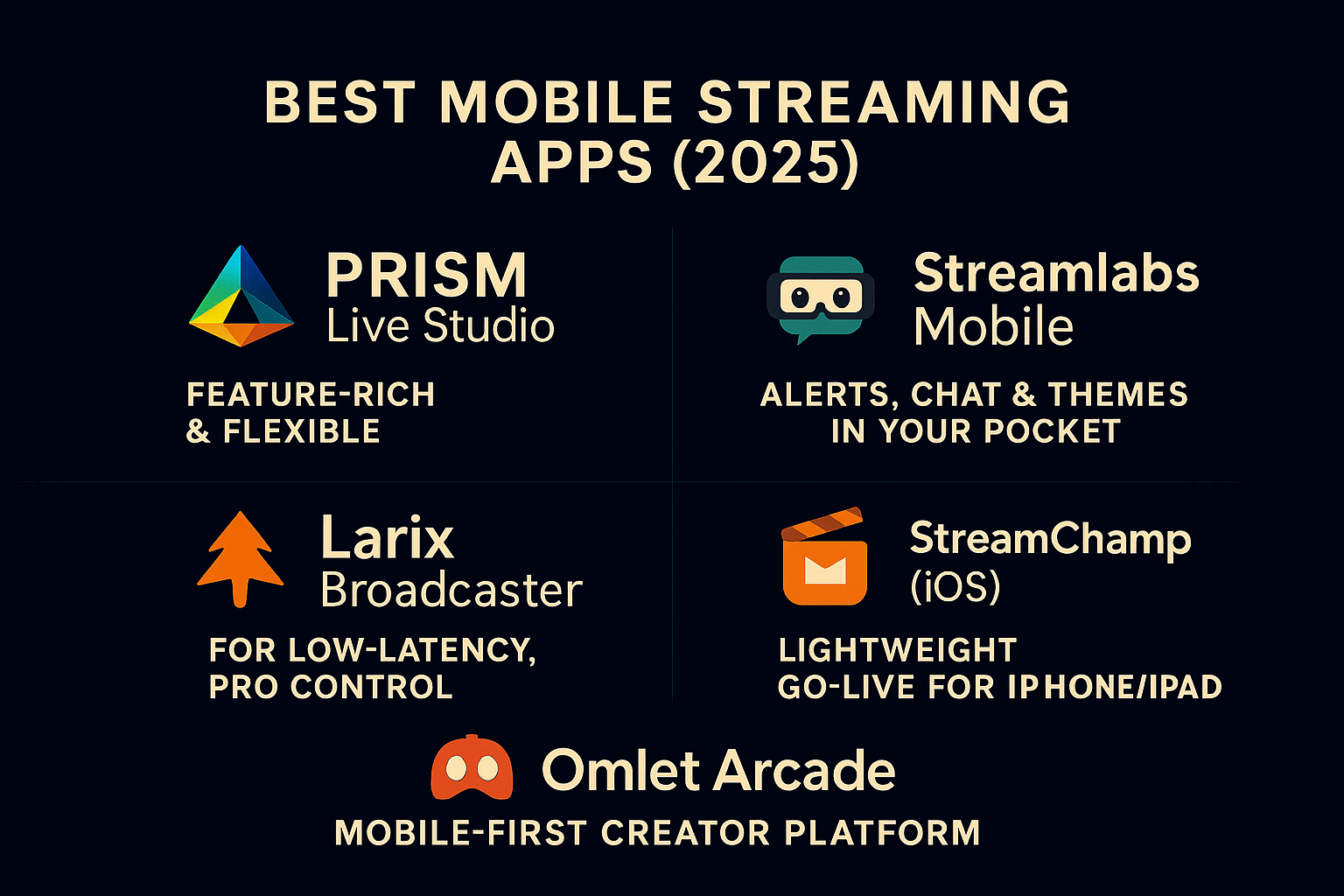
If your audience lives on the go, your stream should too. Modern phones can push crisp, stable live video with overlays, alerts, and even multistreaming, no desktop required.
Quick transition: You’ve nailed your desktop setup. Now let’s unlock the mobile side of your creator toolkit.
Top Mobile Streaming Apps (What to use & why)
PRISM Live Studio: Feature-rich & flexible
Multistream to multiple platforms, add on-screen effects, switch between camera/screen, and go up to 1080p60. PRISM supports up to 6 channels at once and makes mobile streaming surprisingly “pro.”
Streamlabs Mobile: Alerts, chat & themes in your pocket
If you use Streamlabs on desktop, the mobile app feels familiar: alerts, tipping, themes, and mobile multistreaming (with Ultra). Handy editor mode (“Scenes”) lets you layer widgets and graphics right on your phone.
Larix Broadcaster: For low-latency, pro control
A favorite for IRL and journalism. Dial in bitrates/codecs and stream via SRT, RTMP, WebRTC, RIST (and more). Great when you need reliability on shaky networks and granular control.
StreamChamp (iOS): Lightweight go-live for iPhone/iPad
Log in or use RTMP, then stream gameplay (or Procreate art) straight from iOS. Clean UI, easy setup, and made for quick “hit-Go-Live-now” moments.
Omlet Arcade: Mobile-first creator platform
One-tap live, mobile multistreaming (Omlet Plus), overlays, and even tournaments/coaching. Built for gamers who want discoverability and community on mobile.
How to stream from your phone (5-step quick start)
Pick your app (PRISM, Streamlabs Mobile, StreamChamp, Omlet).
Connect platforms (Twitch/YouTube/etc.) or paste your RTMP.
Set basics: portrait/landscape, 720p/1080p, bitrate.
Add overlays/alerts (themes in Streamlabs; effects in PRISM).
Test on unlisted/private and then go live.
Pro tip: If your signal is shaky, Larix with SRT keeps streams resilient in bad network conditions.
Best Streaming Tools in 2025 (Beyond Software)
Great streams aren’t built on software alone; the right tools take your show from “good” to “unforgettable.”
1. StreamElements & OWN3D: Overlay Magic
Design stunning overlays, alerts, and chat widgets with StreamElements or OWN3D. They integrate seamlessly with OBS and Streamlabs.
2. Nightbot & Moobot: Chat on Autopilot
Automate your chat moderation with Nightbot. It filters spam, runs commands, and keeps your chat fun but clean.
3. Restream.io: Go Live Everywhere
Reach audiences across Twitch, YouTube, and Kick at once. Restream or Switchboard Live lets you multistream without overloading your PC.
4. NVIDIA Broadcast: Pro Audio & Video
Remove background noise, blur your backdrop, and improve mic clarity instantly, perfect for anyone streaming from home.
5. GlitchOver: The Next Level for Creators
If your goal is to turn your passion into profit, GlitchOver bridges the gap. It helps creators connect directly with fans, host sessions, and get paid to play, all while integrating seamlessly into your streaming schedule.
You can manage everything from gaming sessions and fan bookings to Discord interactions without chaos.
GlitchOver is the kind of tool that transforms casual streamers into community-driven brands.
Final Thoughts
Streaming in 2025 is more exciting (and accessible) than ever. Whether you’re gaming, teaching, or building a community, the tools you choose will define your streaming experience.
If you’re just starting out, OBS Studio or Streamlabs OBS will serve you well. As you grow, explore vMix or StreamYard for advanced production.
And when you’re ready to turn your audience into a thriving fanbase, GlitchOver is where you make that leap from hobbyist to professional creator.
The only thing left to do now? Hit that Go Live button.